Welcome To The Blog!
Written on: October 25, 2026
Hello!
Welcome to the blog, and thanks to those of you who said (promised) to read this!
So… here it is! I know it’s not much now, but in a few weeks, months, or years from now, I’ll probably have written dozens of posts about whatever comes to mind. Maybe you’ll come back to this post and reminisce on how juvenile this website was. In the meantime, I thought I would walk you all through how I set up my site. We are going to get a little technical, so get ready:
HTML (scary…)
Note: I do have some coding experience. When I was growing up, I thought I wanted to be a video game developer full-time and make beautiful games with the power of code. Since then, I got into music and I put aside coding (and also learned that you can be a massively successful developer and only have a basic understanding of coding).
In my high school days, I took a few classes on basic coding in some various languages, though none in HTML. Eventually, I got to UNT, and in my second year, seeing everyone else’s awesome websites, I decided to make one of my own. So, I went on CloudFlare, bought my domain name (and I’m pretty sure CloudFlare is one of the cheapest places to get a domain), and started coding.
And… here was the first iteration:
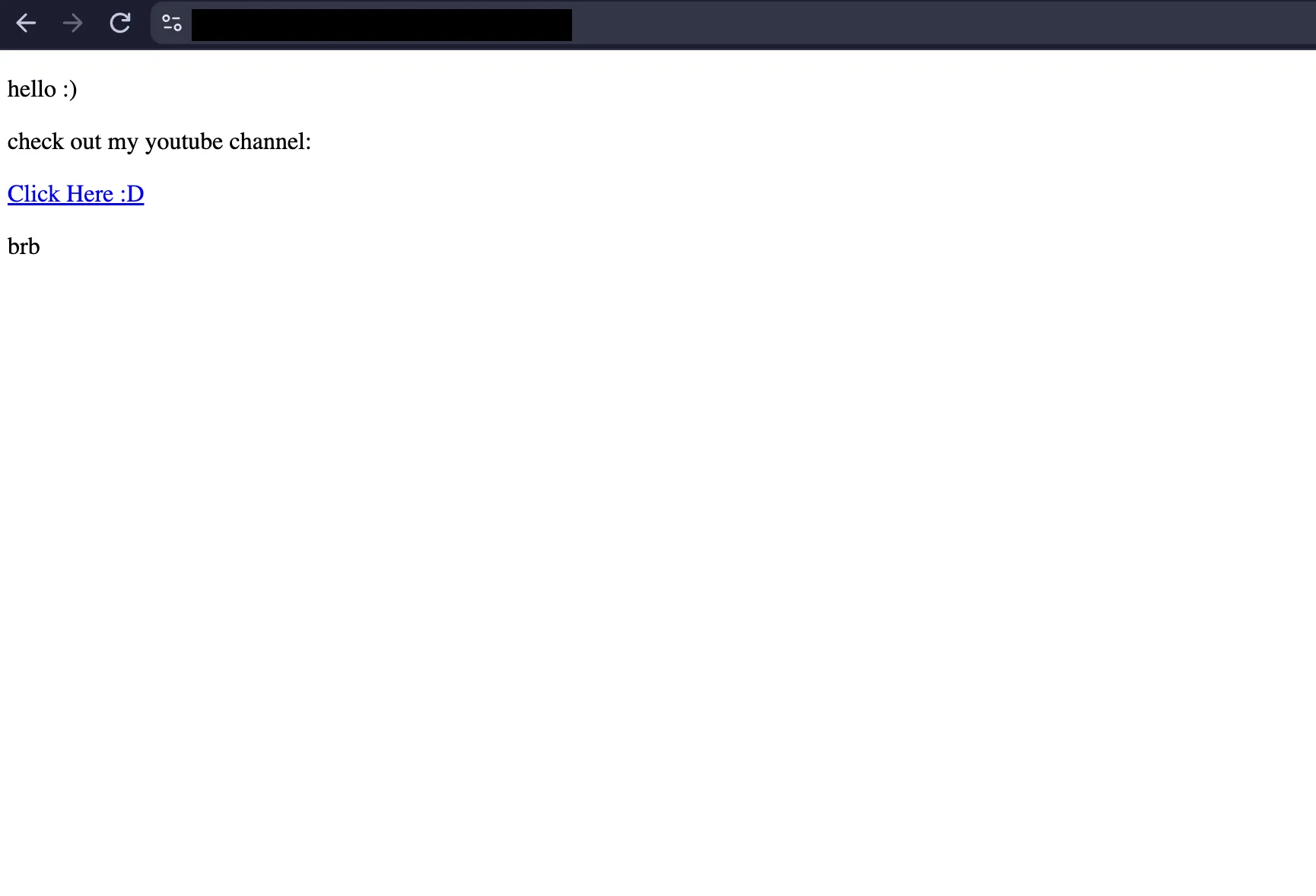
Yeah… Not the most attractive website. I barely knew HTML, and nothing about CSS. For those of you who aren’t web-dev savvy, they’re two programming languages that format and style your website, respectively.
Though, for about 3 or 4 weeks, I’d constantly be adjusting the website and adding information, slowly picking up HTML knowledge, like how the syntax worked, how divs worked, how to format links and style your text, etc.
This was the final iteration of Website v0:

Fully featured with links to Bad.mp3 and my biography! Functional and brutalist as it was, it’d probably still scare off any professionals who might actually consider buying or programming my music. So, I decided that I had to scrap it and start fresh. Eventually, I got to a working version with some basic styling but nothing fancy just yet. It was a plain black website with a white nav bar at the top, which stuck to the top of the screen using the “sticky” property, which I thought was the coolest thing ever at the time. The different pages were all styled and centered, and were even responsive to screen size so that mobile users weren’t alienated.
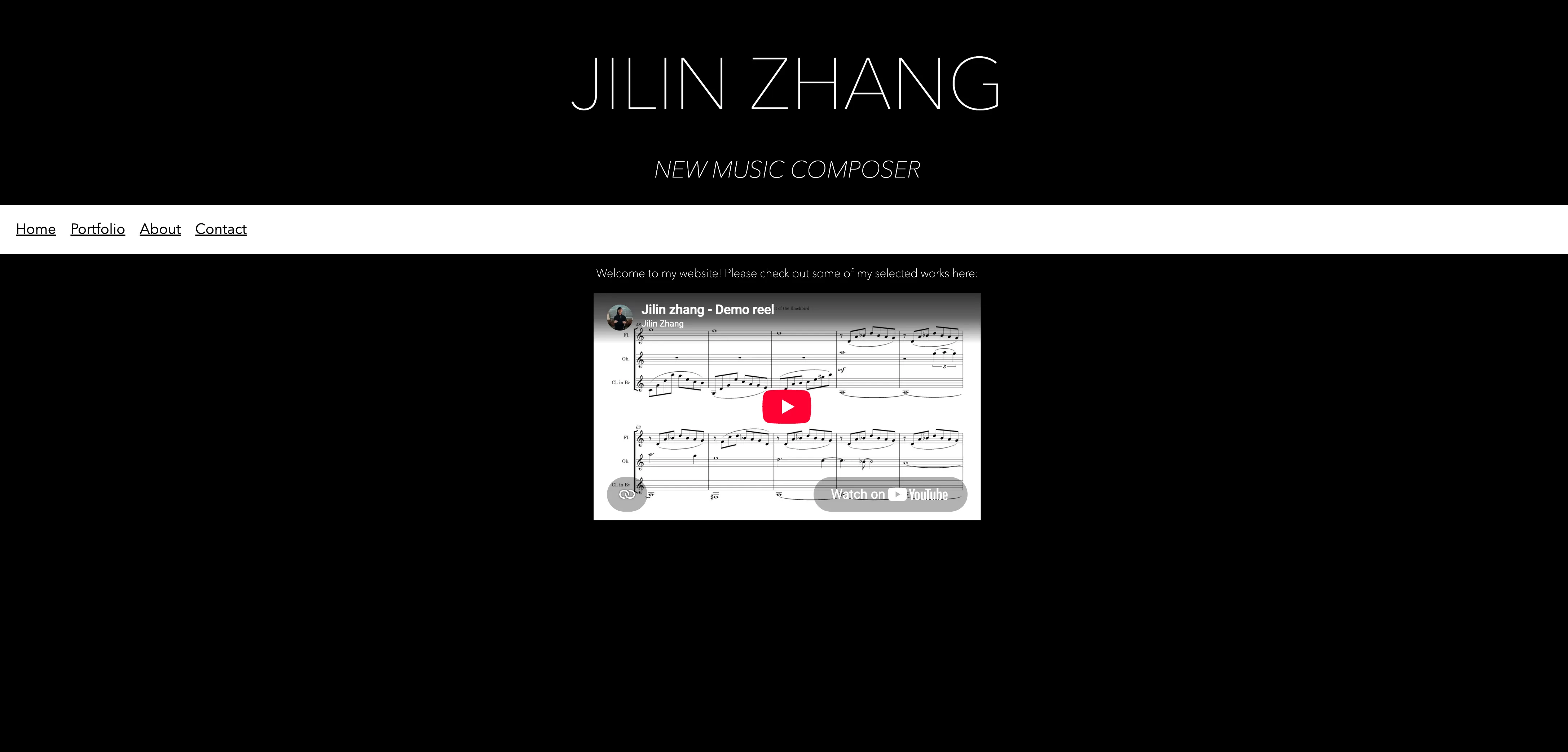
It really wasn’t the best website, but for a 20-year-old composer with no real experience or knowledge, I would say it was a pretty good effort. You could tell what my name was and what I did, at least.
I did end up iterating on this, still in HTML, for a while too. I stopped working on it so much, maybe updating it like once or twice a month when I noticed a problem or when I got sick of it being so empty.
I think I might have even included a hero on the front page (a hero is like a splash screen for your landing page). I didn’t realize that the font I was using was installed locally as opposed to the web, and it just so happened that every Apple device had this font pre-installed. What that meant was that Windows users would see the site rendered in their default font, which was usually Times New Roman, so I ended up fixing that problem too. Though, I got sick of writing everything in HTML, and copy-pasting the nav bar between files and copying and pasting layouts. Then, by chance encounter, I stumbled upon Astro.
Astro
Astro was a game-changer. It was HTML on steroids, though I’m not advocating for steroids, but man, it was like going from a pedal bike to a V12 engine. Okay, maybe not that drastic of a difference. I still had to write all the code myself (and I’m against vibe-coding this website), and I had to publish the site and wait for it to be built by CloudFlare, but it took about 90% of the work off of my shoulders from HTML. Seriously, if you’re considering going down the path of writing your own website in code (which I don’t advocate for, unless you’re insane or don’t want to shell out $20 a month), Astro is my number 1 choice for web-dev language.
I quickly picked up the basics of Astro. Keep in mind, I spend most of my time writing music (and unfortunately also engraving scores and parts). Everything from my HTML website transferred over perfectly, since Astro was like an extension of HTML, so I could keep all of the files the same. However, I soon learned about Astro’s component and layout features, which saved me the hassle of having to copy-and-paste all of the individual parts of my website that I wanted to keep the same between pages into each and every file. And with lots of pages, that would get really tedious when I wanted to, say, add a new link to the navigation bar at the top.
Before I get too nerdy, I’m just going to wrap up this section by saying that Astro made it pretty easy to make your own website. There’ll be a lot of Googling and reading up on how to do some things, but in the end, your website will be super fast and super stylish (that is, if you designed it right), and you can brag to your friends and say that you did it yourself.
The Moral of the Story
So… would I recommend it? Again, I don’t advocate for it for a number of reasons.
- It’s a heavy time commitment to learn how to code, how to code in HTML, how CSS works, and how Astro works, and then pull it all together to write your website in the first place.
- It’s really frustrating to try to solve a problem when you don’t know how to solve it or what’s causing it, and if you’re not doing web development as your job, it’s just a time sink.
- You’ve also got better things to do than sit around and write code to make intricate improvements to your website, like writing your string quartet that you’ve been putting off for months.
However, if you’re dedicated enough, and have some sort of passion for working with code, and want to stick it to those website builder companies or just don’t have the money to pay for their fancy drag n’ drop interfaces, then this could be a solution for you. Remember, what they’re doing is just giving you a fancy interface and a bunch of presets to just write the same code, and eventually end up with the same website, unless you’re working with an online shop or some other outside service. But, if you’re just making a portfolio website and just want to send all your would-be customers to somewhere else to buy your music, this is a very viable solution!
Yeah, you can call me crazy, but you’re looking at the product of hours of learning and work and I’m pretty proud of the state that this website’s in right now. And on top of all that, writing the next blog post will be a cinch, all except for the actual writing part.
Back to top